Host Notifications by SMS, Slack and Microsoft Teams — Not Just Email
A visitor checks in, the host gets an email — and the email sits unread because the host is in a meeting, on the factory floor, or simply lives in Slack. The guest waits in the lobby. We've fixed that.
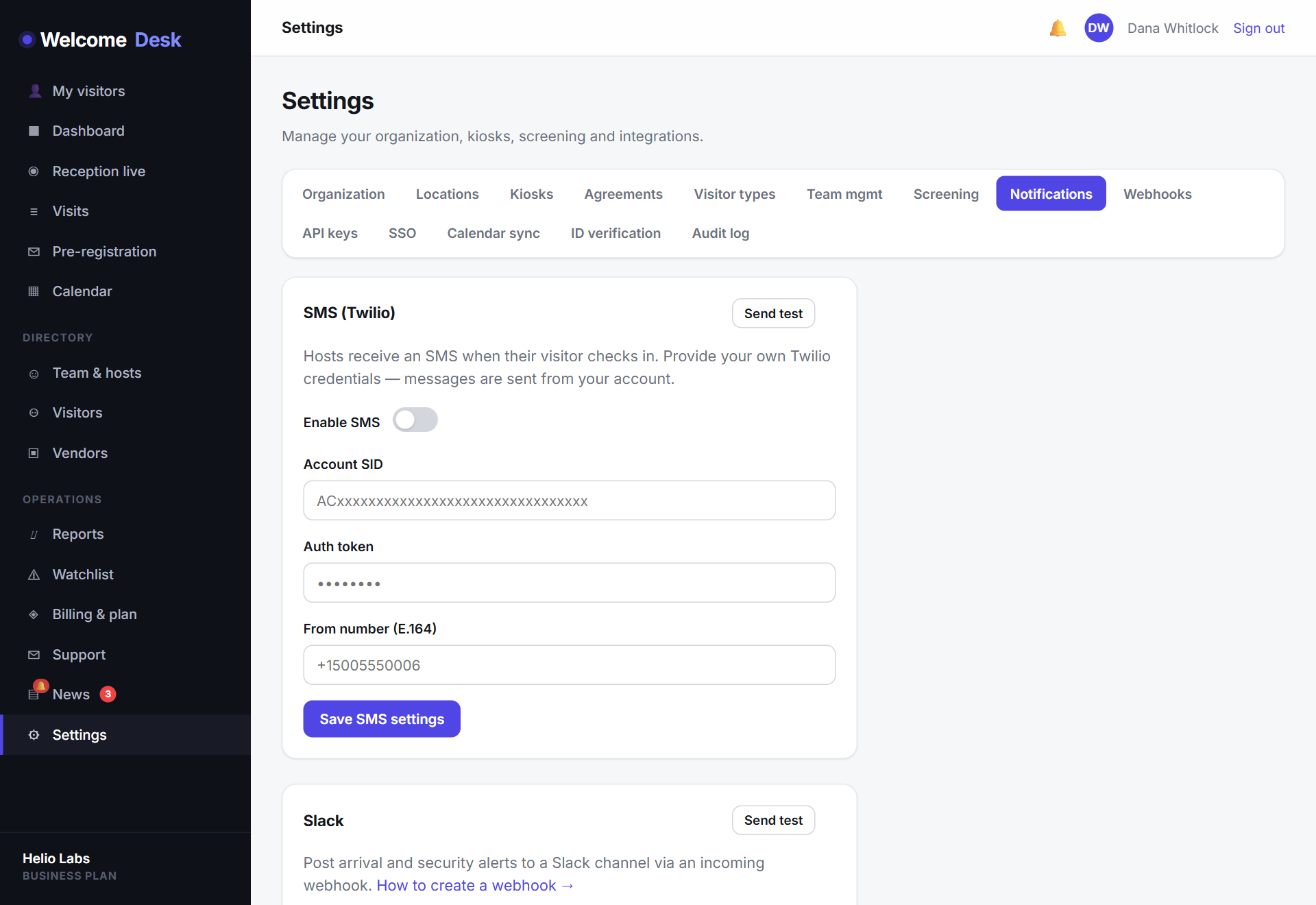
Reach hosts where they already are
WelcomeDesk now delivers arrival notifications across four channels:
- Email — on every plan, as always.
- SMS — a text to the host's phone, impossible to miss.
- Slack — a message in the workspace your team already lives in.
- Microsoft Teams — the same, for Teams-first offices.
Every alert carries the visitor's name, company and badge number, so the host knows exactly who's waiting before they even stand up.
Each host picks their own channel
Notification preferences are per host, not per workspace. Your facilities manager can take SMS, your engineers can take Slack, and someone who genuinely prefers email can keep it. Set a workspace default and let people override it for themselves.
How to switch it on
SMS, Slack and Teams notifications are included in the Business plan and available on Starter through the Communications add-on.
- SMS connects through your own Twilio account — paste in your credentials under Settings.
- Slack and Teams use a free incoming webhook; create one in your workspace and drop the URL into WelcomeDesk.
Once a channel is connected, hosts choose it from their notification settings and the next arrival comes through instantly.
A foundation, not a finish line
Multi-channel notifications open the door to something we're building next: two-way messaging. Soon a host will be able to reply to that Slack or SMS alert — "on my way, two minutes" — and have it appear right on the kiosk so the visitor isn't left guessing. More on that later this quarter.
See WelcomeDesk at your front desk
Browser-based visitor management, one price for every office. Free for 14 days.
Start your free trial